
One Brief, Three Builds

One brief in, three homepages out, each built around a different thing the visitor came to do.
/recon11-one-brief-three-builds <brief>Good first calls
/recon11-one-brief-three-builds a mobile dog groomer on the Space Coast, first-time customers, goal: more bookings/recon11-one-brief-three-builds (paste a brief) use these actions: tour the space, see pricing, book a tour/recon11-one-brief-three-builds
- What it does
- builds three homepage concepts from one brief, each around a different visitor action.
- Best for
- the start of a project, when the first screen is still an open question.
- You get
- 1 the three actions2 three working pages3 what changed and why
- Give it
- the business, the audience, the real content you have, and the one result you want
- Tips
- name the audience. Bring real copy and photos. Pick one concept, do not blend all three.
The skill prints this card first on every call, then does the work. It is laid out here; in your agent it prints as plain text.
- Skill no.
- 02 of 10
- Class
- Recon11 original
- Package
- 3 files, 3 KB
- License
- Recon11 original
- Size
- one file
- Checked
- Nov 27, 2026
What it does
What it does, in the order it does it.
The short version
- Reads one brief and names three things a visitor might have come to do.
- Builds a working page around each one, with the same content and brand.
- Says what leads, what moved and what waits in each.
- Recommends one and leaves the choice to you.
Go: Reach for it when
- The start of a project, before the first screen is settled.
- A client who cannot say what they want until they see it.
- Settling an argument about what the homepage is for.
No-go: Use something else when
- A page that is already built. Use Overwatch or Titanium.
- A brief with no audience. It will ask first.
- Three different brands. It holds the brand still on purpose.
How to call it
Type the command, then say what to work on. Copy any line and change the target. Slash commands. A slash command is the skill name with a / in front, typed as the first thing in a new message. Everything after it is plain English: what you want worked on. Copy puts the whole line on your clipboard, so you can paste it and swap in your own target.
/recon11-one-brief-three-builds a mobile dog groomer on the Space Coast, first-time customers, goal: more bookingsThree actions, three pages, and what changed in each./recon11-one-brief-three-builds (paste a brief) use these actions: tour the space, see pricing, book a tourBuilds around the three actions you name./recon11-one-brief-three-buildsPrints the field card and asks for the brief.
Tips
What gets the best result, and where it stops.
Field notes
- Name the audience. It is the line the three concepts depend on.
- Bring real content. Placeholders make all three look alike.
- Pick one. A blend of three first screens is no first screen.
- Disagree with the actions. It shows them before it builds, so change them then.
What it will not do
- Invent photos, reviews, prices or numbers to make a concept look finished.
- Blend the three into one page unless the user asks.
- Change the brand between concepts. The comparison only works if the brand holds still.
The demo
A fixed sample you can run here. Use the switches. Nothing is uploaded or sent.
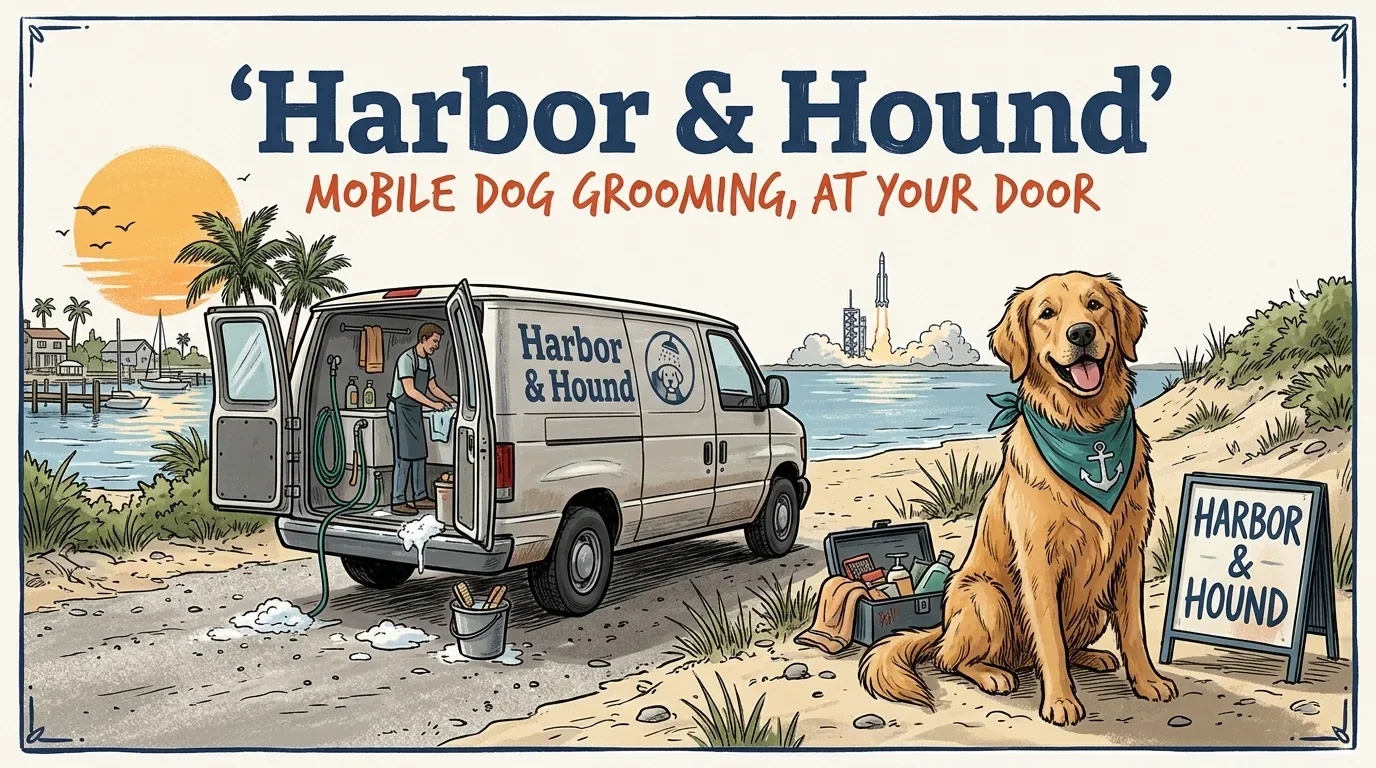
Harbor & Hound is a mobile dog groomer on Florida's Space Coast. One van, one groomer, appointments at the customer's door. The page has to win a first visit.
Built for looking
- The gallery is the first thing on the page.
- One line of copy, then proof.
- Booking waits at the bottom, after the visitor has seen the work.
Built for choosing
- Three services side by side, same rows in each.
- What is included is spelled out, so nothing has to be asked.
- Each column has its own button.
Built for acting
- The booking request is the first screen.
- Three questions, in the order a person thinks of them.
- Proof sits beside the form, not in front of it.
Sample business. Harbor & Hound is made up for this demo. It is not a real company, and nothing here is a real offer.
Mobile dog grooming, Space Coast
See the dogs before you call.
Sample tiles. A real page would show the groomer's own photos here.
Pick what your dog needs
Three visits, side by side.
- Wash and dry
- Nails and ears
- About an hour
- Everything in a bath
- Full haircut
- About two hours
- Short, gentle visit
- Face, feet and nails
- About 45 minutes
Sample services, written for the demo.
Booking takes a minute
Ask for a visit at your door.
A picture of the form, not a working one. It sends nothing.
Same brief, same business, three different first screens.
Install and run
Pick the route that matches where you work.
Claude Code
- Download recon11-one-brief-three-builds.zip and unzip it. You get one folder named
recon11-one-brief-three-builds. - Move that folder into
.claude/skills/inside a project, or into~/.claude/skills/to have it in every project. Hidden folders and the ~ sign. A folder whose name starts with a dot is hidden by default. On a Mac, press Command, Shift and period in Finder to show hidden folders. In Windows File Explorer, choose View, then Show, then Hidden items. The~stands for your home folder, such as/Users/yournameon a Mac orC:\Users\yournameon Windows. If theskillsfolder is not there yet, create it. - Start a new session and type
/recon11-one-brief-three-builds.
The Claude app
- Download the zip. Do not unzip it.
- In Claude, open Customize, then Skills.
- Press the plus button, choose Create skill, then Upload a skill, and pick the zip.
- Code execution has to be switched on for skills to run. Code execution. It is a setting inside the Claude app, and skills cannot run with it off. The Anthropic help article linked under these steps shows where to find it. On a work account, an admin may control the setting.
Steps from Anthropic's help article, Use skills in Claude.
What it needs
- An agent that can read files.
- Nothing else. It is one instruction file.
Other agents
Unzip and put the folder where your agent reads skills. These paths come from the skills CLI's own agent list. These paths. The skills CLI is the open-source skill installer from Vercel, vercel-labs/skills on GitHub. It keeps a list of where each agent looks for skills, in docs/agents.md, and this table was read from that list on Nov 27 2026. "In a project" is a folder inside the one project you are working in, so the skill loads only there. "For every project" is a folder in your home folder, written ~, so the skill loads everywhere. If your agent is not in the table, check that list before guessing a path.
| Agent | In a project | For every project |
|---|---|---|
| Cursor | .agents/skills/ | ~/.cursor/skills/ |
| GitHub Copilot | .agents/skills/ | ~/.copilot/skills/ |
| Gemini CLI | .agents/skills/ | ~/.gemini/skills/ |
| OpenCode | .agents/skills/ | ~/.config/opencode/skills/ |
| Windsurf | .windsurf/skills/ | ~/.codeium/windsurf/skills/ |
What is in the package
3 files, 3 KB zipped. Nothing is fetched at install time.
Packing list
recon11-one-brief-three-builds.zip, 3 files, 3 KB
- recon11-one-brief-three-builds/the folder
- NOTICE.md1 file
- SKILL.md1 file
- evals/1 file
SHA-256 of the zip, to confirm your copy is the one tested. The bars are drawn from its digits.
81e802d4234890496f208acd464299c58de2221fd28f25539242f79dbab53809
How it was tested
- Zip opens cleanly and holds one folder with three files.
- Checked against the checklist in Anthropic's Skill authoring best practices: description says what and when, body under 500 lines, workflow checklist, check-before-handing-back loop, output template, worked example.
- Three evaluation scenarios are in
evals/evals.json. - Frontmatter parses, and the name matches the folder.
- The demo on this page was built by hand to the skill's steps, for a made-up business.
- Not run here: the three evaluations, or the skill against a live agent on a real project. Try it in a safe place first.
The skill file
The instruction file, in full. Copy it, or scroll it here.
---
name: recon11-one-brief-three-builds
description: Takes one brief and builds three working homepage concepts, each built around a different thing the visitor came to do, with a short account of what changed and why. Use when the user has a brief or a new site and the first screen is not settled, or asks for homepage options, concepts or directions. Invoke as /recon11-one-brief-three-builds with a brief.
---

# Recon11 One Brief, Three Builds

Original work by Recon11 Global Systems, LLC.

## 1. Field card (show it first, every time)

On every invocation, before any tool call, print this card exactly as written. Then carry on with the request. If there is no brief, or the brief names no audience, stop after the card and ask for what is missing.

```text
RECON11 ONE BRIEF, THREE BUILDS    /recon11-one-brief-three-builds <brief>
What it does : builds three homepage concepts from one brief, each around a different visitor action.
Best for     : the start of a project, when the first screen is still an open question.
You get      : 1 the three actions  2 three working pages  3 what changed and why
Give it      : the business, the audience, the real content you have, and the one result you want
Tips         : name the audience. Bring real copy and photos. Pick one concept, do not blend all three.
```

Copy this checklist into your reply and tick it off as you go:

```text
- [ ] 1. Field card printed
- [ ] 2. Read the brief
- [ ] 3. Choose three visitor actions
- [ ] 4. Build the three
- [ ] 5. Say what changed
- [ ] 6. Checked before handing back
```

## 2. Read the brief

Write back, in three lines, the business, the audience and the result the owner wants. Say when a line is a guess.

1. If the audience is missing, ask. Do not assume one.
2. List the real content supplied: copy, photos, prices, hours. Everything else is a gap.
3. Never fill a gap with an invented fact. Use a clearly marked placeholder and list it.

## 3. Choose three visitor actions

Pick three different things a first-time visitor might have come to do. They must lead to different first screens.

1. Common sets: look at the work, compare options, book or buy. Use what fits this business.
2. Name each action in the visitor's words.
3. Show the three to the user before building. Change them if the user disagrees.

## 4. Build the three

Each concept is a working, responsive page, not a picture.

1. Same content, same brand tokens, same navigation labels in all three.
2. Only the order, the emphasis and the first screen change.
3. The main action of each concept is the loudest thing on its page.

## 5. Say what changed

1. For each concept, three lines: what leads, what moved, what waits.
2. Say which concept you would pick for this brief and why, in two sentences.
3. The choice is the owner's.

## 6. Check before handing back

Go through every line. If one fails, fix it and go through the list again. Hand back only when every line passes.

- [ ] Each concept leads with a different visitor action, and the three first screens differ.
- [ ] Content, brand tokens and navigation labels are identical across the three.
- [ ] Every placeholder is marked and listed. No photo, review, price or number was invented.
- [ ] Each concept works at 1440, 1024, 768 and 390 wide.
- [ ] The main action is the loudest element on each page.
- [ ] Check the result at 1440, 1024, 768 and 390 wide. No sideways scroll, no clipped text.
- [ ] Text meets WCAG AA contrast. Keyboard focus is visible.
- [ ] No invented facts, numbers, testimonials, client names or logos. Missing material is listed for the user.
- [ ] Commas, not em dashes, in interface copy.

## 7. What it will not do

1. Invent photos, reviews, prices or numbers to make a concept look finished.
2. Blend the three into one page unless the user asks.
3. Change the brand between concepts. The comparison only works if the brand holds still.

## 8. Hand back

Use this format. Drop a section only when it truly has nothing in it, and say so.

```markdown
## The brief, as read
Business: ... | Audience: ... | Result wanted: ...

## Three visitor actions
1. <action, in the visitor's words>: concept A
2. ...: concept B
3. ...: concept C

## The concepts
<one file or link per concept>

## What changed
| Concept | Leads with | Moved | Waits |
|---|---|---|---|

## Recommendation
<two sentences. The choice is the owner's.>

## Still needed from you
- ...
```

Then offer `/recon11-titanium recon` or `/recon11-overwatch audit` on the result.

## 9. Worked example

Input:

```text
/recon11-one-brief-three-builds A mobile dog groomer on Florida's Space Coast. One van, one groomer. Audience: first-time customers. Goal: more booked visits.
```

What the hand-back says, condensed:

```text
Three visitor actions: see the work (gallery first), compare visits (three services side by side), book now (booking request first).
Recommendation: book now leads, because the goal is booked visits and first-time customers already know what grooming is.
Still needed: the groomer's own photos, the real service list, the service area.
```

The business in this example, Harbor & Hound, is made up.
Source and license
Where it came from, and the terms it is shared under.
| Item | Detail |
|---|---|
| Author | Recon11 Global Systems, LLC |
| Origin | Idea 02 of ten on the Recon11 showcase |
| Written | Nov 28, 2026 |
| Demo content | Harbor & Hound and everything in the demo are made up for this page. |